
Joomla site broken? We fix it in 24 hours.
Blank page, "an error has occurred", hacked, locked out of the administrator, or dead since the host moved to PHP 8. Almost nobody in Toronto still works on Joomla. We do, every day — this website runs on it.

Most Toronto agencies stopped touching Joomla. We never did.
When a Joomla site breaks, the usual answer from a web company is "we can rebuild it in WordPress" — which is a quote for a new website, not a repair. If your Joomla site works and simply needs fixing, that is an expensive way to solve a small problem.
The website you are reading runs on Joomla 5. We build on it, maintain it, migrate it and repair it. It is not a platform we looked up when you called.
What has gone wrong? Pick the one that sounds like your site
Nearly every Joomla emergency we see falls into one of these eight. Open the one that matches to see the usual cause and how long the repair normally takes.
 Joomla 3 sites are a standing target
The page is completely blank
Joomla hit a fatal PHP error and stopped before printing anything. Usually an extension or template that has not kept up with the PHP version on your host, which is why sites break on their own with nobody touching them.
We switch on error reporting and the Joomla log, read the real failure, and disable or patch what caused it.
Usually fixed in 1–3 hours"An error has occurred. 0"
Joomla's own error page, and the number 0 means it could not even work out a proper error code. Often a broken database table, a missing extension file, or a template override pointing at something that no longer exists.
The real message is in administrator/logs and the server error log. That is the first place we look, not the last.
Google says my site may be hacked
Old Joomla installations are a common target, particularly anything still on Joomla 3, which stopped getting security updates in August 2023. Injected spam links and hidden redirects are the usual payload.
We remove the injected code from files and database, find the way in and close it, then submit the site to Google so the warning is lifted.
Cleaned in 24 hours, Google review 1–3 daysI cannot get into /administrator
The login form reloads without an error, the reset email never arrives, or you get "invalid security token" every time. The token version is usually a session table problem rather than a password problem, which is why resetting the password never helps.
We restore access through the database or hosting panel, then check every Super User account for ones that should not exist.
Usually fixed in under 2 hoursAn update broke the site
A Joomla or extension update ran halfway and stopped, or finished and took the template with it. Template overrides are the usual casualty: the update replaces a core layout and your customised copy no longer matches it.
We work on a copy first, find which override or extension broke, and repair it rather than rolling the whole site back.
Usually fixed in 2–6 hoursDatabase or session errors
"JDatabaseDriver could not connect", a missing table, or a session table that has grown to hundreds of megabytes and is now timing out every request. The last one is extremely common on older Joomla sites and looks exactly like a slow host.
We test the connection, repair or rebuild the damaged tables, and clear the bloat properly rather than truncating and hoping.
Usually fixed in 1–4 hoursDead since the host moved to PHP 8
Hosts upgrade PHP on their own schedule, and Joomla 3 was never fully compatible with PHP 8. The site was fine on Friday and fatal on Monday, and nobody at your company changed a thing. This is the single most common Joomla emergency we get called about.
We can usually get you running again the same day, then talk honestly about whether to patch or to migrate.
Running again same dayThe site has become painfully slow
On Joomla this is very often the session table, an oversized #__finder search index, or caching switched off years ago by somebody debugging something. Rarely the host, whatever the host tells you.
We measure it properly and tell you which it actually is, rather than selling you a bigger server by reflex.
Report same day, fixes 1–3 daysWhat a real Joomla repair looks like
No blind restore. We turn on Joomla's own error reporting, read the log, and find the extension, override or table that actually caused the failure. A backup rolled over the top hides the fault for a week and takes your recent content with it.
You get the log in plain English at handover, so you know what happened rather than just that it is working again.
What happens in the first 24 hours
No mystery and no silence. You will know what is wrong long before it is finished.
We answer and take a safe copy
A real person, not a ticket queue. We take a full backup of the site and database exactly as they are now, before anything is touched, so there is always a way back.
We find the real cause and quote a fixed price
A plain-English explanation of what broke and a fixed price in writing. You decide whether we carry on. No hourly meter running while you think about it.
The site comes back
Repaired at the source, in the extension, override or table that failed — not hidden behind a cache or a rolled-back backup that quietly loses your last month of content.
We close the door behind us
Super User passwords rotated, Joomla and extensions updated, a fresh backup stored off the server, and a short written report on what happened and how to stop it repeating.
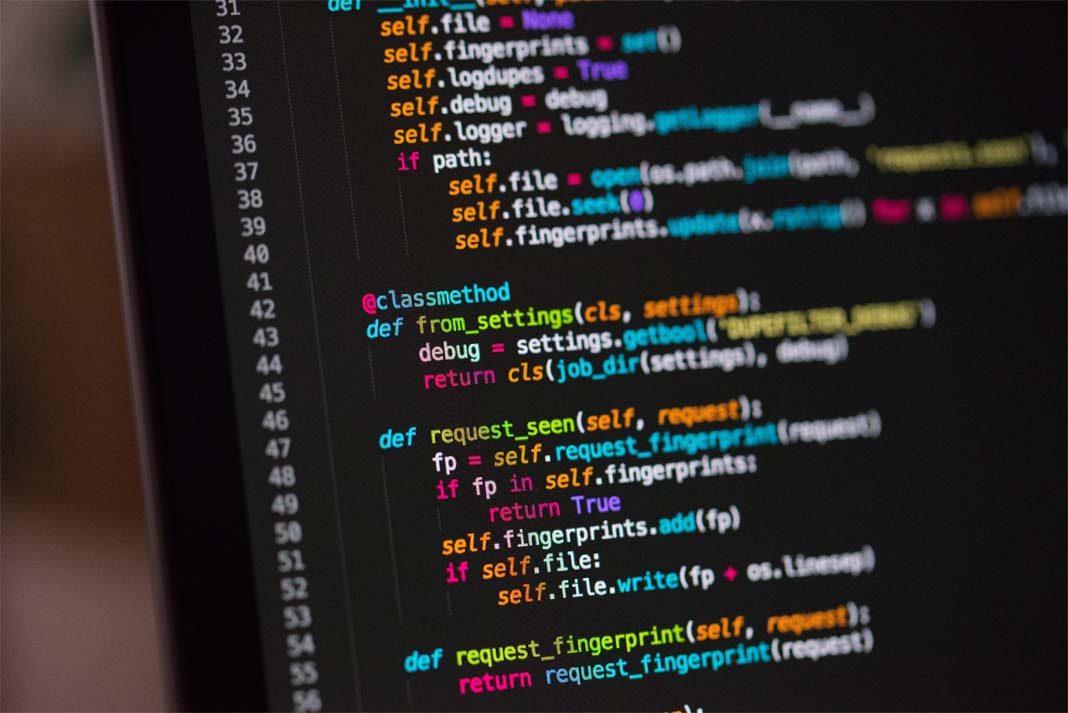 Repairs done by hand, not by script
The Joomla error messages we fix most often
If you can see one of these on your screen, you can skip the explaining. Read us the message and we will usually know where to look before we have touched anything.
 We read the Joomla log, not the guesswork
Joomla generic error
Joomla caught a failure it could not classify. The real message is in the Joomla log and the server error log, never on the screen.
Missing model or broken override
Something asked an extension for data and got nothing back. Usually a half-removed extension or a template override left behind by an update.
The error handler itself failed
Joomla broke, then its error template broke too. Alarming to see, usually a template file problem, and normally quick.
Database connection failure
Wrong credentials in configuration.php, a moved database server, or a database over its quota. Sometimes a genuinely damaged table.
Invalid security token
Almost always the session table or session settings, not your password. Resetting the password is the fix people try first and it never works.
PHP 8 incompatibility
The classic Joomla 3 on PHP 8 failure. The host upgraded PHP, the site stopped, and nobody at your end changed anything.
Missing layout file
A template or extension is calling a layout that is not there, usually after a partial update or a template switched without its overrides.
Output before headers
Stray characters at the top of a PHP file, very often left behind by an injected file or a careless edit over FTP.
 Joomla 3, 4 and 5 all maintained here
Still on Joomla 3? That is why it keeps breaking
Joomla 3 stopped receiving security updates in August 2023. Every flaw found since then is still in your site, and hosts have been moving everyone to PHP 8, which Joomla 3 was never built for. That combination is behind most of the emergency calls we get.
Getting you running again is the first job. After that we will tell you honestly which of these you are looking at:
A migration to Joomla 5 — if your content is worth keeping and your extensions have modern equivalents. Your content, URLs and SEO come with you.
A patch and a plan — if a migration is not affordable this quarter, we can make the site safe and buy you time, so long as you know that is what it is.
This website was migrated to Joomla 5 and runs on it today, so the migration path is one we have walked ourselves and not just read about.
What an emergency Joomla repair covers
Malware and hack clean-up
Injected code removed from files and database, the entry point closed, and the Google warning lifted.
Fatal errors and blank pages
PHP errors, memory limits, extension conflicts and broken updates traced to the line that caused them.
Database and session faults
Connection failures, damaged tables and session tables grown to hundreds of megabytes, repaired without losing content.
Administrator lockout
Super User access restored, invalid security token loops fixed, and rogue accounts removed.
Joomla 3 to Joomla 5 migration
Content, URLs and rankings carried across, with extensions replaced where the originals no longer exist.
Template and override repair
Layouts broken by an update, missing overrides and templates that no longer match the Joomla version.
Speed and Core Web Vitals
Session bloat, oversized search indexes and caching switched off years ago, measured and then fixed at the cause.
Backups that actually restore
Most sites we rescue had a backup. Very few had one that worked. We set up Akeeba properly and test it.
Four things to do right now, while your site is down
None of these needs a developer, and all four make the repair faster and cheaper.
1. Change nothing else
Do not reinstall Joomla, delete extensions or restore a backup over the top. Each one destroys evidence and can turn a two-hour fix into a two-day one.
2. Write down the exact message
Photograph the screen if it is easier. On Joomla the wording usually points straight at the component, and that alone can halve the diagnosis.
3. Find your hosting login
Not the Joomla one, the hosting account. Joomla repairs almost always need file and database access. If you cannot find it, say so and we will work around it.
4. Ask your host what changed
If nothing changed at your end, something changed at theirs. A PHP version bump is the most common answer, and knowing the date narrows it immediately.
Fixed price, agreed in writing, before we start
Every repair is quoted as a fixed price and agreed in writing before any work starts. You will never get an invoice larger than the number you approved, and you will never be charged for the time it takes us to look.
The diagnosis is the part most people worry about paying for twice. So we do it first, tell you exactly what is wrong, and you decide from there, including deciding to take that report to somebody else.
If a migration genuinely is the right answer, we will show you why rather than asserting it. And if patching will hold for another year, we will say that too, even though it is the smaller invoice.
You own everything, always. The site, the code, the database, the domain, the hosting and the backups stay in your name. We do not hold logins hostage and we never have.How BridgeWeb has worked since 2006
Rated 4.9 from more than 150 Google reviews, many from clients who have been with us over ten years. Read the reviews.BridgeWeb, Toronto
Joomla support and repair across Toronto and the GTA
Almost every repair is done remotely, so where you are rarely changes the timing. These are the areas we work in most.
Based in Etobicoke and working across the GTA since 2006. On WordPress instead? We run a 24-hour WordPress emergency repair service as well, and we also fix WooCommerce, Shopify and custom PHP sites.
Why Toronto businesses call us for Joomla
We actually use it. This website runs on Joomla 5. We are not guessing from documentation, and we are not going to quote you a WordPress rebuild because Joomla is unfamiliar.
Twenty years of it. Since Joomla 1.0, through the 1.5 and 3.x eras and into 4 and 5. We have seen your error before, and that is most of the speed.
We tell you the truth about your site. Including when the honest answer is that it does not need the work you were about to pay for.
 A local team since 2006
Questions people ask before they call
Do you really fix a Joomla site in 24 hours?
Most Joomla emergencies are back up inside 24 hours, and many inside a morning. The honest exceptions are a hacked site waiting on Google to lift a warning, which is their timetable and not ours, and a Joomla 3 site on PHP 8 that genuinely needs migrating rather than patching. In both cases we tell you on day one rather than letting the clock run out quietly.
Do I have to move to WordPress?
No, and we will not push you to. A working Joomla site with years of content in it is an asset, not a liability. Rebuilding it in WordPress is a quote for a new website dressed up as a repair. If migrating genuinely is the right answer we will explain why, but the default is to fix what you have.
My site is still on Joomla 3. Is it safe?
Not really. Joomla 3 stopped receiving security updates in August 2023, so every vulnerability found since then is still in your site. It will keep working until a host upgrades PHP or somebody finds it. We can make it safer in the short term, but the honest answer is that Joomla 3 is borrowed time and you should be planning a migration.
Will a migration to Joomla 5 lose my Google rankings?
Not if it is done properly. Your URLs, page titles, meta descriptions and content all carry across, and anything that has to change gets a 301 redirect. Rankings are lost when a migration silently changes every URL and nobody maps the old ones, which is exactly the part we do not skip.
How much does it cost to fix a hacked Joomla site?
It depends on how far the infection spread and whether there is a clean backup, which is why we diagnose first and quote a fixed price before starting. A single injected file is a very different job from a site that has been compromised for months. You will have the number in writing before you commit to anything.
My site is hosted somewhere else. Is that a problem?
No. We work on Joomla sites hosted anywhere: GoDaddy, SiteGround, Hostinger, Cloudways, a reseller account, or a server a previous developer set up and never documented. You do not have to move your hosting to us, and we will not ask you to.
What do you need from me to start?
Joomla Super User access, and hosting or cPanel access if you have it. Joomla repairs almost always need file and database access, so the hosting login matters more here than it does on some platforms. If you are locked out of both, we can usually recover control through the domain registrar or the hosting account owner.
My Joomla developer disappeared. Can you take over?
Yes, and with Joomla it is one of the most common calls we get, because so few agencies still support it. We can usually recover control through the domain registrar or the hosting account even with no documentation and no passwords. Bring whatever emails and invoices you still have.
Can you keep the site updated so this stops happening?
Yes. Joomla and its extensions need updating on a schedule, and most emergencies we see are a year of skipped updates arriving at once. Our monthly website maintenance covers Joomla core, extensions, backups and monitoring.
Do you fix WordPress and other platforms too?
Yes. We run a 24-hour WordPress emergency repair service alongside this one, and we also repair WooCommerce, Shopify and custom PHP sites. Joomla just happens to be the one almost nobody else in Toronto will touch.
Related reading
Your site is losing money while it is down
Call now and we will tell you what is wrong today. Fixed price agreed in writing before any work starts, and you keep ownership of everything.